Profit & Loss Statement
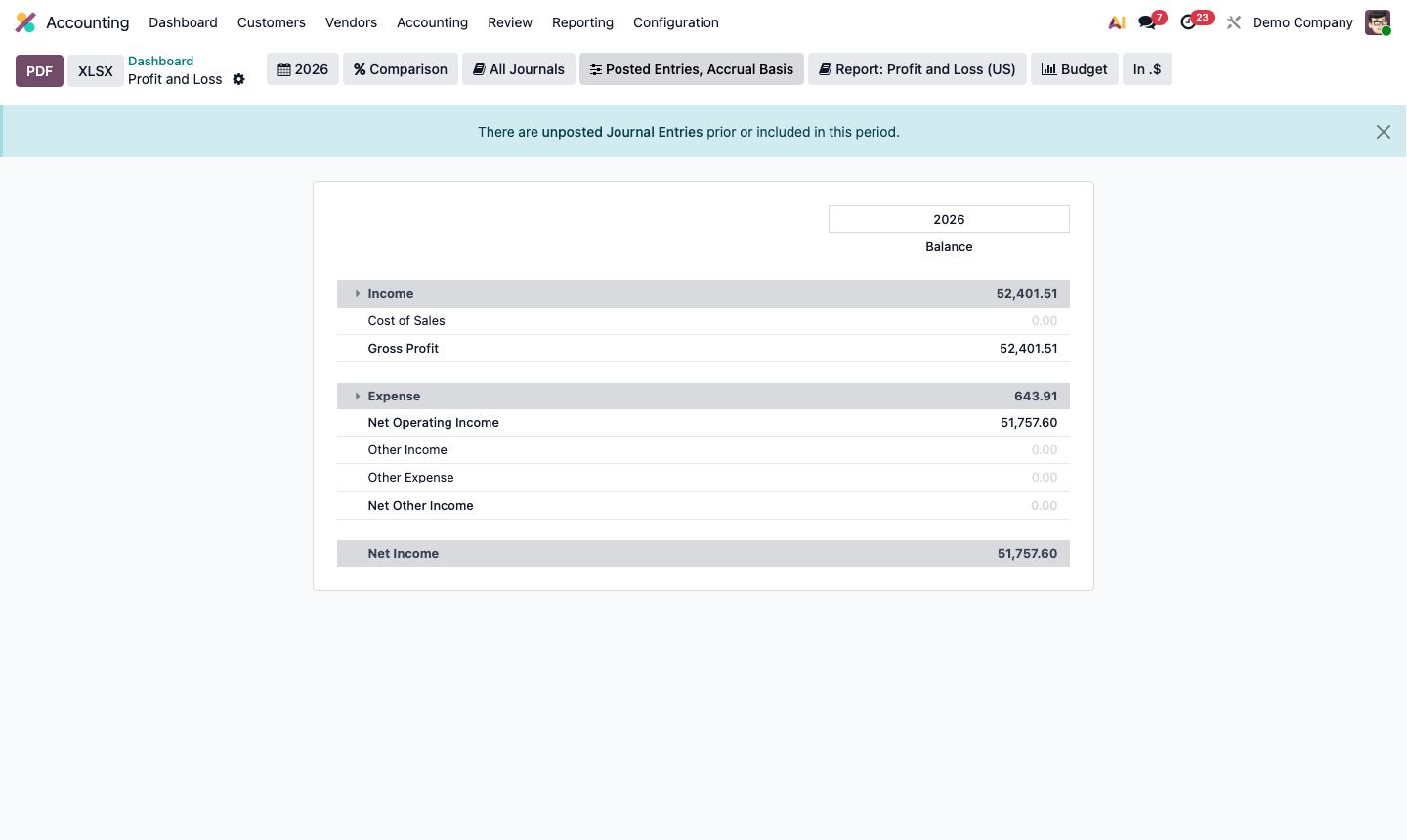
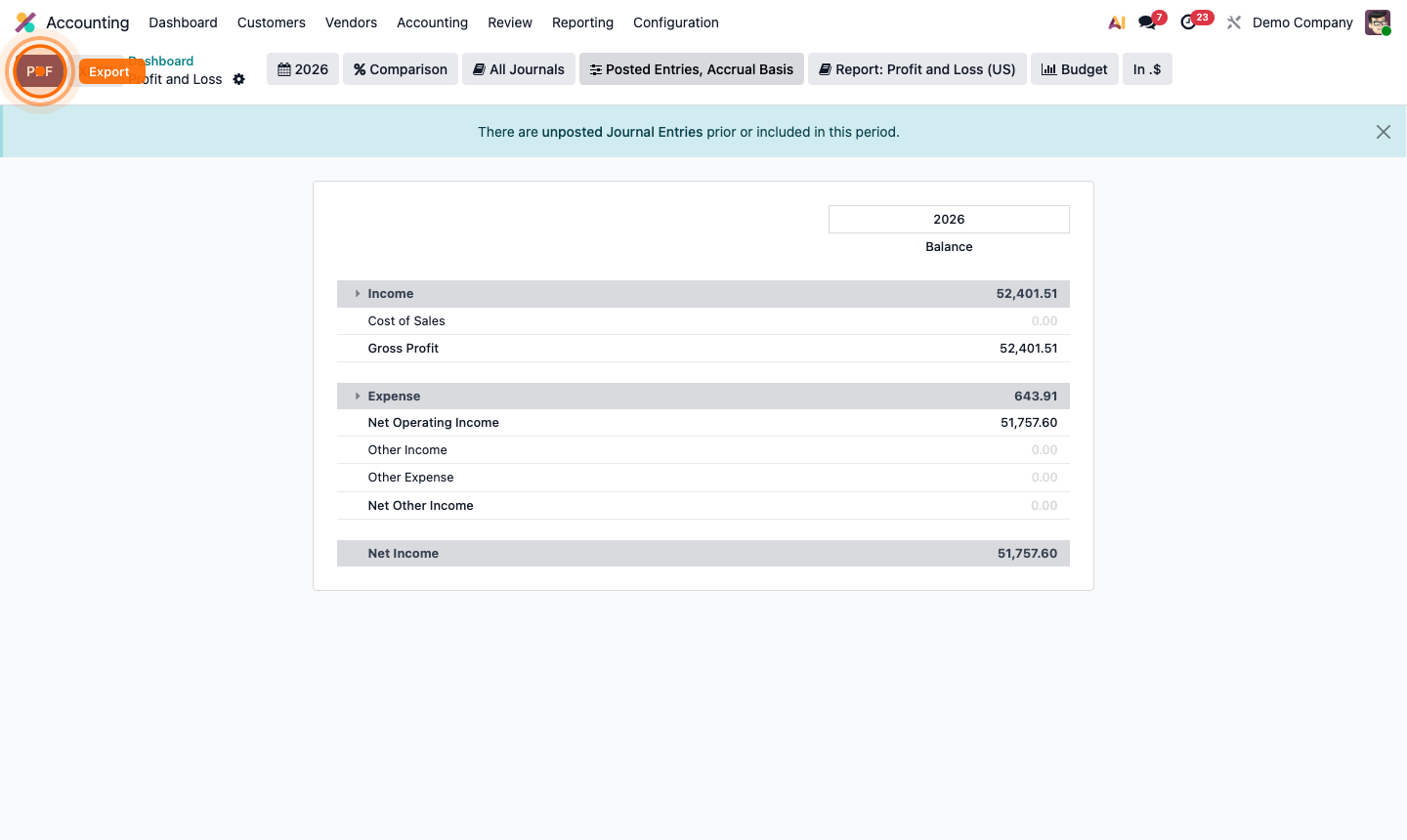
Go to Accounting → Reporting → Profit and Loss.
The P&L shows your income and expenses for a period, resulting in a net profit or loss.
Structure:
- Revenue — all income accounts (sales, other income)
- Cost of Revenue — direct costs (COGS)
- Gross Profit = Revenue – COGS
- Operating Expenses — indirect costs (salaries, rent, marketing)
- Net Profit = Gross Profit – Operating Expenses
Use the date filter at the top to change the reporting period (month, quarter, year). Click Comparison to add a comparison period alongside.
Click any line amount to drill into the underlying journal entries.